AI agents can do things now. Control what they do.
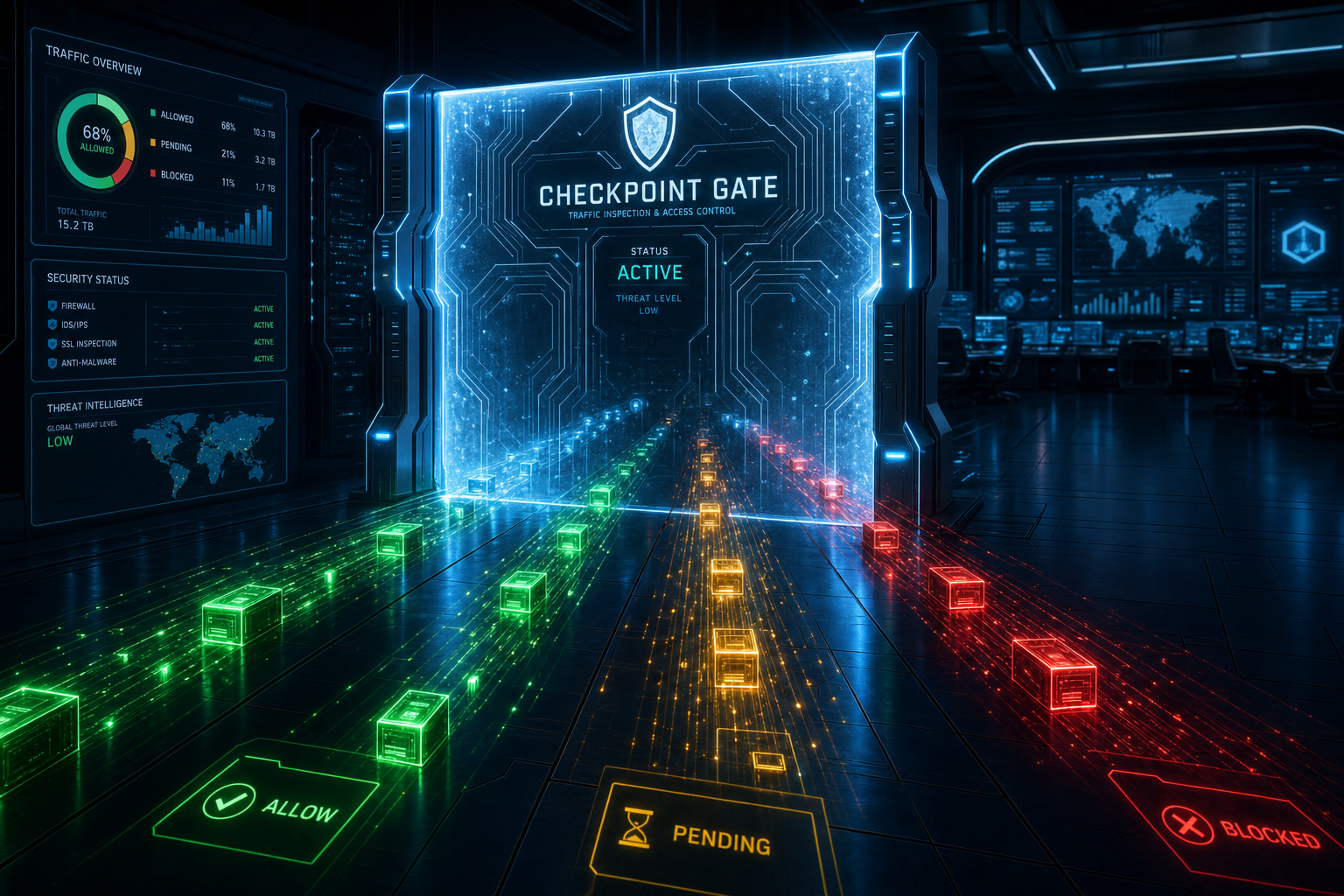
AgentVeil is an independent action-control layer that sits between AI runtimes and the real world — intercepting, classifying, and controlling agent actions before they execute.
Works with Cursor, Claude Code, Codex, and Gemini CLI — the AI coding tools your team already uses. One install. Local evidence. No cloud required.
An independent explainer for agentveil-protocol's agentveil-sdk — built to take you from "never seen it" to "ready to implement".
01
The risk is not what AI says. It is what AI does.
Why does this exist?
AI agents now write your files, commit to your repos, install packages, and execute shell commands — often in tight loops, faster than you can follow.
Picture this: you ask Claude Code to "clean up this module" and your agent quietly rewrites three files, renames a function used across the codebase, and runs npm install — all in two seconds, while you were still reading the first response. That is not a bug. That is the default behavior. The agent had access and it used it.
Every major AI coding tool gives agents direct hands on your file system, your terminal, and your tools. There is no standard checkpoint between when an agent decides to act and when it executes. If the agent makes a wrong call, there may be no record, no way to require review, and no receipt to show what actually ran. The risk is not that AI is untrustworthy. It is that there is no gate.

The risk shiftAI agents used to give advice. Now they take action. AgentVeil is the checkpoint between deciding and doing.
02
A control layer, not a replacement.
What does it actually do?
AgentVeil adds one thing: a checkpoint between your AI agent and the actions it takes. It does not replace your AI runtime. It mediates the actions your agent is configured to route through it.
Every routed action gets one of four decisions: allow (proceed immediately), redirect (retry through the controlled service route), approval required (wait for a human), or hard block (this one does not run).
Every decision gets a signed, local, bounded evidence record — what was requested, what was decided, a payload hash — without storing raw file content or secrets. The record is yours, stored locally, no cloud required for the core proxy.
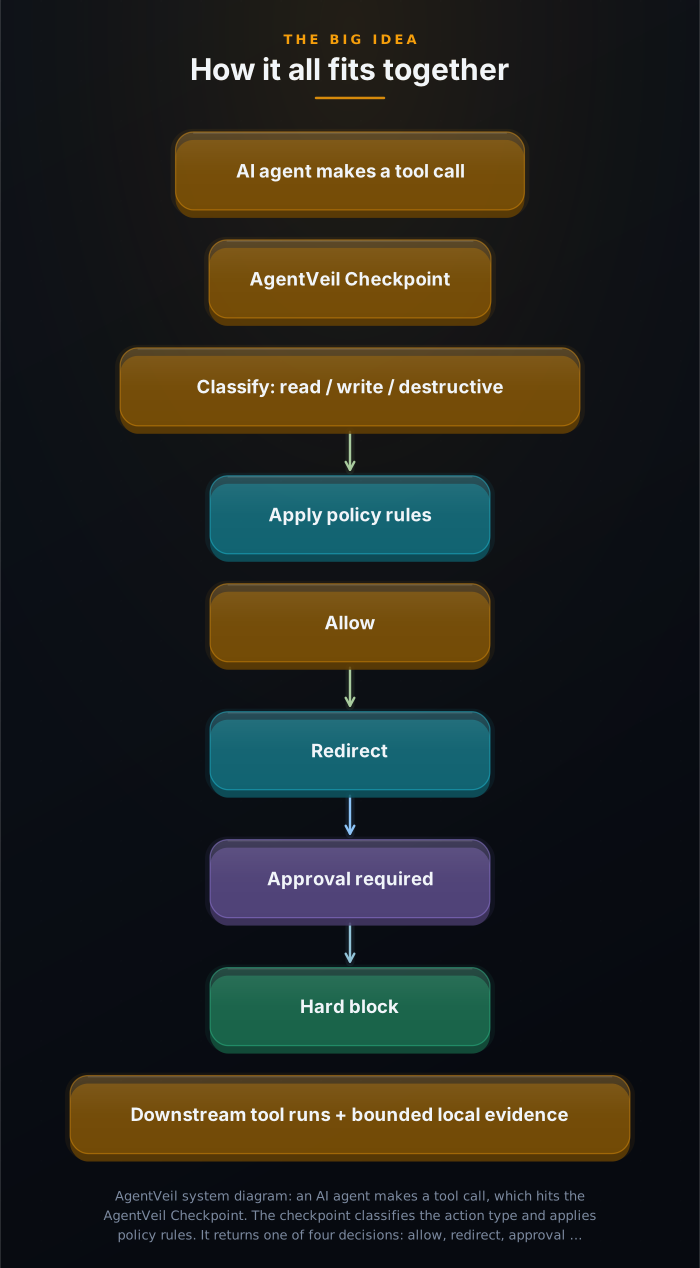
| Decision | What happens | Agent receives |
|---|---|---|
| Allow | Action proceeds to downstream tool | Normal tool response |
| Redirect | Native action blocked; retry through the controlled service route | Redirect guidance |
| Approval required | Human approval request created; execution pauses | Pending state until approved or denied |
| Hard block | Action denied; no execution path available | Block decision with reason |
03
The clever move: intercept at the tool boundary, not inside the model.
Why is it elegant?
Most AI safety work happens at the model level — system prompts, output filters, guardrails. Those address what the AI says. AgentVeil addresses what the AI does.
AI agents use tools to act. Those tool calls cross a boundary: from agent runtime to environment. If you sit at that boundary — between the agent and the tool execution — you can classify, decide, and record every action without touching the model itself.
For AI coding tool connectors, this is a project-local hook that fires before native file-write and edit operations execute. For calls to external services, this is a proxy that wraps those services. In both cases: the agent sees a gate, not a guardrail. The model is untouched. The boundary is enforced.
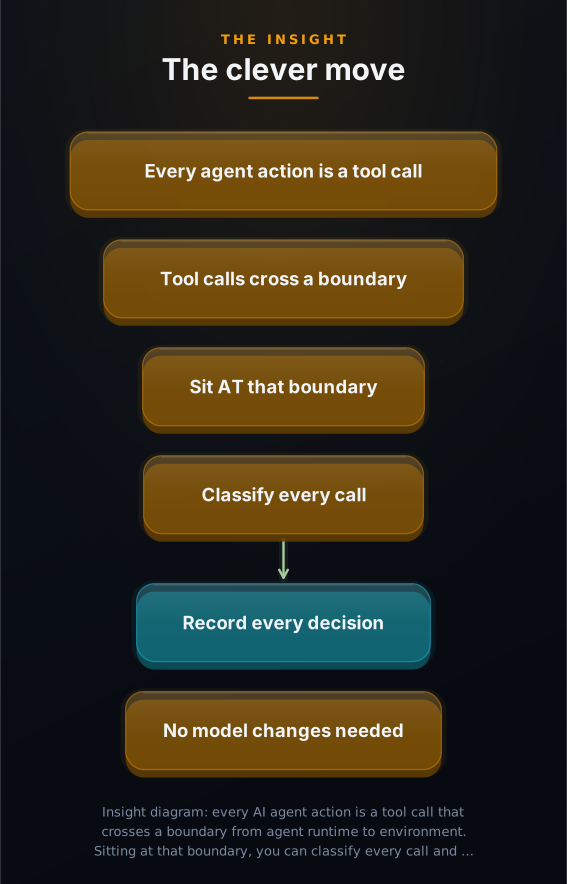
The gate is at the tool boundary — so it works with any AI runtime that uses tools, without touching the model.
04
How it works: the AgentVeil loop.
How is it built?
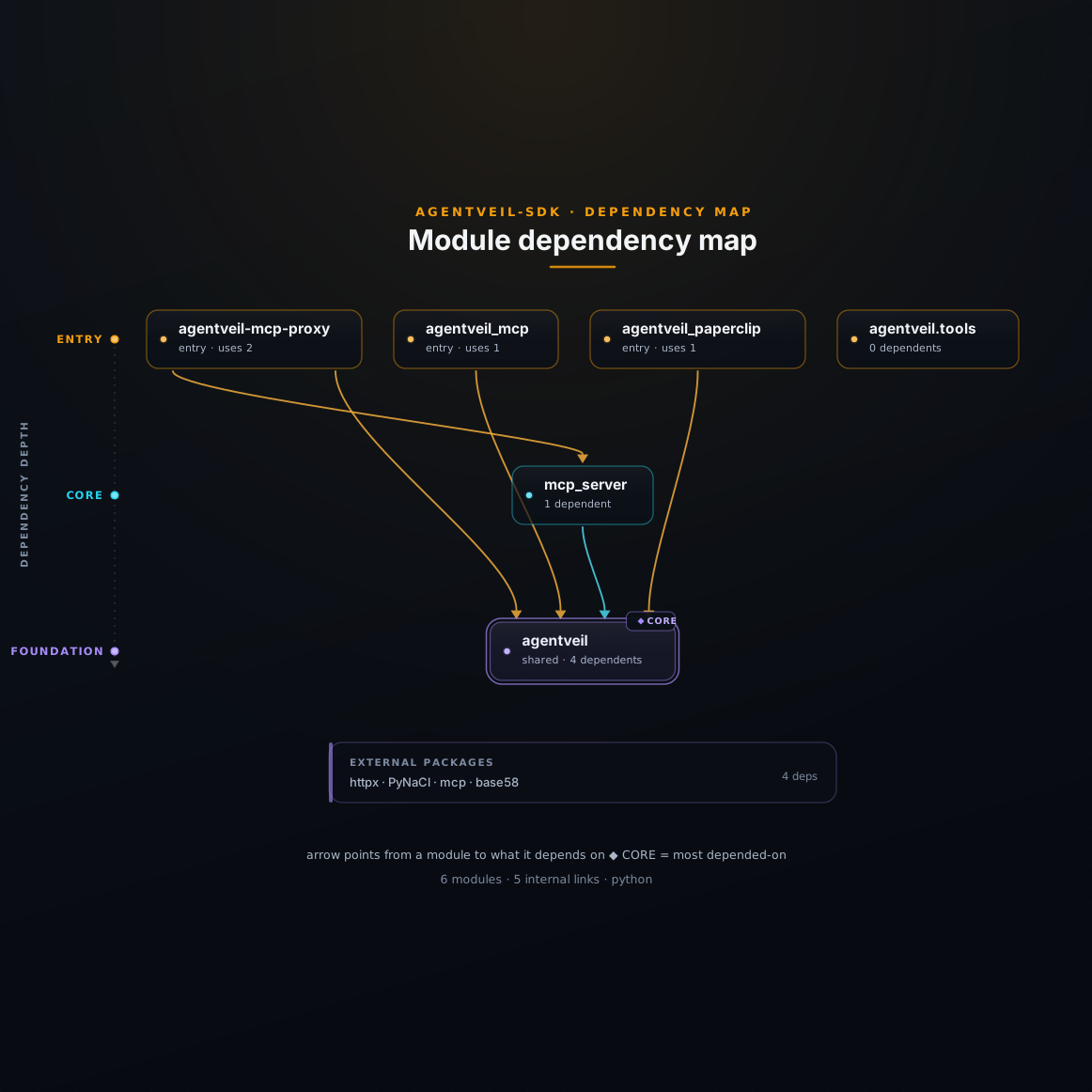
Every agent action routed through AgentVeil follows the same five-step path: attempt, classify, decide, control, proof.
Attempt: Your agent tries a risky action — write a file, call an external service, run a command. If it is a native tool (like Claude Code's Write or Edit), the project connector hook fires before execution and blocks the native action with redirect guidance. If it is a routed Model Context Protocol (MCP) call — the standard way AI tools talk to external services — it arrives at the proxy instead.
Classify: The action gets a type (read, write, destructive, unknown) and a risk class. Built-in defaults block or require approval for higher-risk actions — write operations, destructive calls, financial operations.
Decide: Local policy rules return one of four outcomes: allow, redirect, approval required, or hard block. The key invariant: missing policy defaults to denial, never to silent forwarding. If the control system cannot make a trusted decision, it fails closed.
Control: If approval is required, an approval request is created locally and the action pauses. A browser-based approval page opens. The principal (you) reviews the bounded proof details: what the agent asked for, what the payload hash is. You approve or deny. Execution continues only after your explicit sign-off. Approval timeout defaults to deny.
Proof: A tamper-evident evidence record is written to local storage: request ID, action type, risk class, payload hash, decision, timestamp — but never raw file content, prompts, or secrets. A Proof Packet can bundle the signed receipts (delegation, decision, execution) into a single verifiable artifact for audit or compliance review.
05
Who this is for — and what it looks like in practice.
Could I use this?
AgentVeil is for any developer or team running AI agents that have write access to production systems, codebases, or sensitive data.

1 Code and PR workflows Engineering teams
An agent editing your codebase hits the checkpoint before every write. Low-risk reads (list workspace, read file, inspect git history) flow through freely. File mutations require approval. The agent receives redirect guidance to retry through the AgentVeil MCP write path, and the approved write is recorded with a signed receipt.
You get a local audit trail of every AI-initiated change, with payload hashes you can verify later.
2 Agentic DevOps and infrastructure pipelines Platform engineering
An autonomous CI agent can inspect logs and read state freely. When it tries to run a deployment script or modify infrastructure state, the action is classified destructive and routes to human review. No deployment without explicit sign-off.
The Proof Packet for each approved deployment bundles the delegation scope, decision receipt, and execution receipt into a single auditable artifact.
3 Multi-agent delegation networks Advanced AI systems
When one agent delegates work to another, a DelegationReceipt scopes exactly what action categories the delegate may attempt (for example, allowed_categories equals data_mutation). The Runtime Gate verifies the receipt before every action. The chain of authority is cryptographically traceable.
Framework adapters for CrewAI, LangGraph, AutoGen, and OpenAI expose reputation, delegation, and attestation as native tools in your agent workflow.
06
Set up in one command. See it work in five minutes.
How do I start?
You need Python 3.10 or later and one of the supported AI tools (Cursor, Claude Code, Codex, or Gemini CLI). The whole setup takes under five minutes.
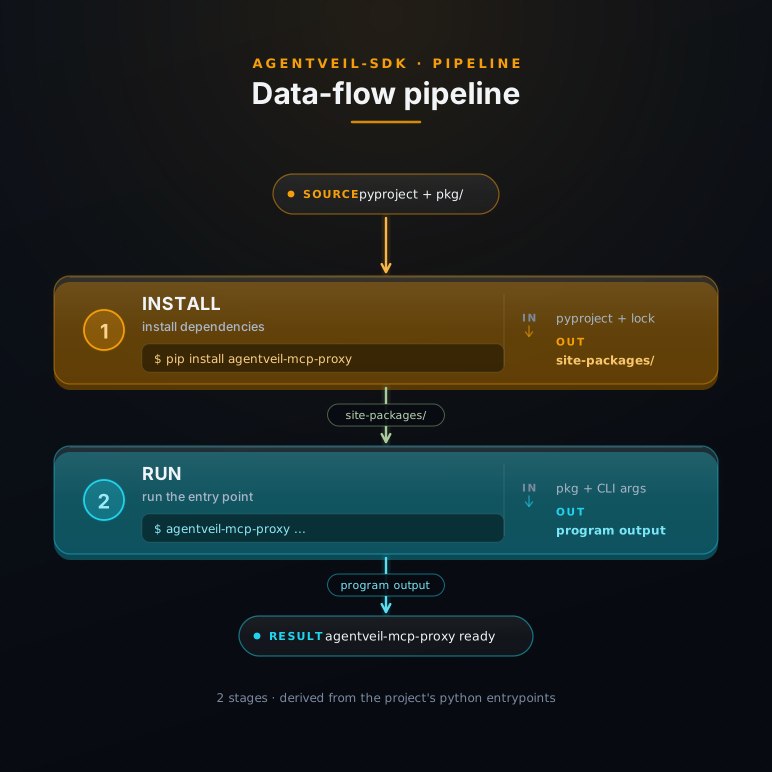
pip install agentveil-mcp-proxy- Set up your project connector Run: agentveil-mcp-proxy setup claude-code --choose-folder --yes A folder picker appears. Choose the project you want to protect. Then reopen or reload Claude Code for that project. (For Cursor: setup cursor --choose-folder. For Codex: setup codex --choose-folder --yes. For Gemini CLI: setup gemini-cli --choose-folder --yes.)
- Test it — ask the agent to write a file In Claude Code (in your protected project), type: "Create avp-test.txt with the text hello" What you will see: the native write is blocked with a message telling Claude to retry through the AgentVeil route. Claude retries. An approval page opens automatically in your default browser.
- Approve or deny in the browser The approval page shows you exactly what the agent requested: file name, action type, payload hash, and timestamp. Click Approve to allow the write. Click Deny to cancel it. The file is only created after your explicit OK — never before.
- Verify your local evidence trail Run: agentveil-mcp-proxy events show --last Expected output includes lines like: decision=approval_required tool=write_file payload_hash=sha256:... timestamp=... That is your local audit trail. No cloud, no external service, no account needed.
07
An AI knowledge pack ships with every explainer.
Does my AI get it too?
Drop the pack into your AI assistant and it can answer deep questions about AgentVeil — how the proxy works, how to write a controlled_action() flow, what a DelegationReceipt contains, how to verify a Proof Packet offline.